
Add a Dependency Safely
Route every new dependency through /ca:add-dep before touching the package manifest. The command holds installation until the dependency-reviewer agent clears the package on license, provenance, and supply-chain posture.
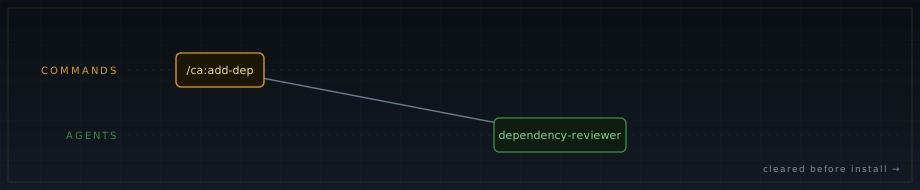
/ca:add-dep lane by piece type: the command (gold) dispatches the reviewer agent (green), which clears the package before any install runs. This lane uses no skills.Run the Command
Section titled “Run the Command”Specify the package name and, when you know it, the exact version:
/ca:add-dep zod@3.22.4Without a pinned version, the reviewer evaluates the latest available. The version you supply here is the version that gets installed if the review clears, so pinning avoids drift between review time and install time.
What the Reviewer Checks
Section titled “What the Reviewer Checks”dependency-reviewer reads .codearbiter/security-controls.md and .codearbiter/tech-stack.md before evaluating the package. It works through four areas:
License. The package’s SPDX identifier must appear in the approved list (see below). The agent does not infer equivalence; the identifier must match.
Provenance. The package must resolve from an approved source. For npm projects, only https://registry.npmjs.org is permitted. A git+ URL, a file: reference, or a plain http: source fails immediately, regardless of license.
Supply-chain risk. The agent checks maintenance signal: publish recency, ownership patterns, and known typosquat or dependency-confusion indicators.
Stack fit. The agent confirms the package is appropriate for the dependency manager and runtime described in tech-stack.md.
Approved Licenses
Section titled “Approved Licenses”These SPDX identifiers are approved across all manifests:
- MIT
- ISC
- Apache-2.0
- BSD-2-Clause
- BSD-3-Clause
- BlueOak-1.0.0
- CC0-1.0
A package declaring any other license cannot be added without an explicit review and an entry in overrides.log. The agent does not have authority to approve outside this list.
One known packaging mislabel: argparse@2.0.1 declares Python-2.0 in its SPDX field, but upstream is MIT. That specific package is accepted on that basis. The exception does not extend to other packages.
The CVE Gate
Section titled “The CVE Gate”Once license and provenance pass, the agent runs:
npm audit --omit=dev --audit-level=criticalA CRITICAL advisory blocks the install. Advisories at high, moderate, or low severity are surfaced as information and do not gate. If a CRITICAL advisory is present, the package cannot be installed until it resolves or until an override with documented rationale lands in overrides.log.
After Clearance
Section titled “After Clearance”When the reviewer clears the package, the orchestrator surfaces the install command for your confirmation. Read it before approving. After the install runs, the manifest change and the lock file change are committed together. Committing one without the other is a gap the reviewer flags at PR time.
When the Review Fails
Section titled “When the Review Fails”A denied license or unresolved supply-chain concern blocks the install. The agent states the specific reason. From there:
- Choose an alternative package with an approved license.
- For a genuine license mislabel you can document, open an explicit review and record the decision in
overrides.log. - For a CRITICAL CVE, wait for a patched release or select a version without the advisory.
One important limit: no hook blocks a bare npm install run outside this command. The gate is orchestrator-enforced, not hook-enforced. Bypassing /ca:add-dep bypasses the review.
If you edit package.json or a lock file directly, the H-07 advisory fires after the write:
[H-07] dependency manifest changed — route new packages through /ca:add-dep before committing.This is advisory only. It does not block the write. The install gate depends on using the command in the first place.
When Not to Use This Command
Section titled “When Not to Use This Command”- Removing a dependency. Use
/ca:fixor/ca:featureand describe the removal. - Updating an existing dependency as part of a code change. Use
/ca:featureor/ca:fix. Manifest changes reach thedependency-reviewerthrough the PR review at/ca:pr. - Researching a package without a plan to install it. Use
/ca:btw.
Related
Section titled “Related”- add-dep command reference
- dependency-reviewer agent
- Enforcement & Security — H-07 advisory and the full gate catalog